
Technical · Browser security
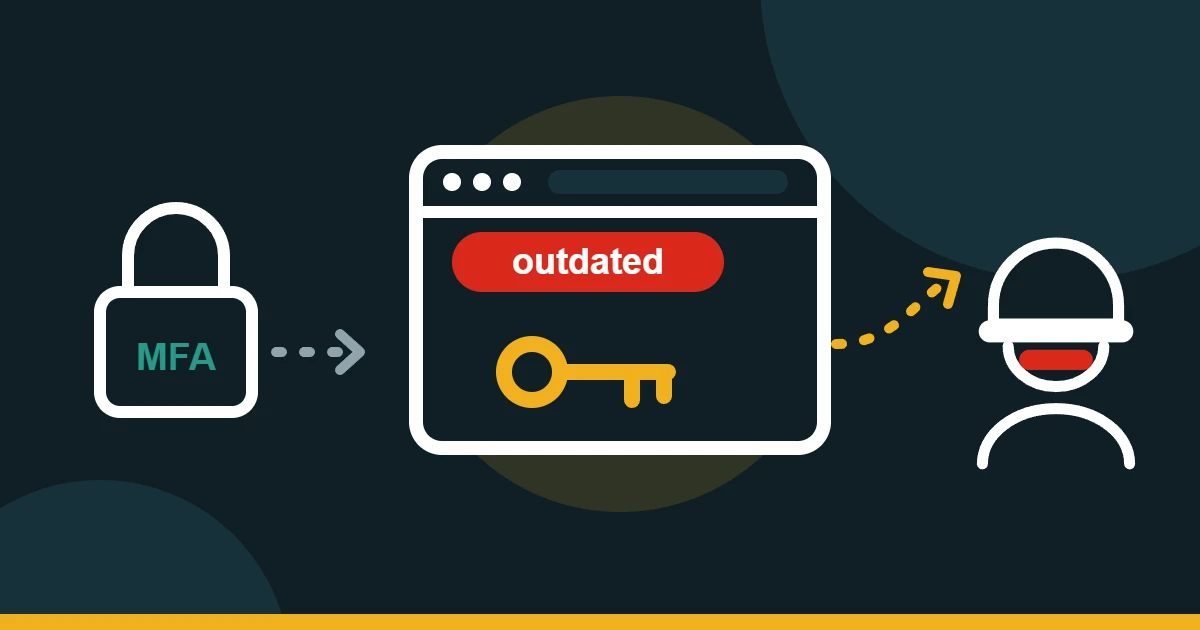
The user has MFA, a passkey, maybe even Conditional Access. Yet the attacker ends up in their Microsoft 365 mailbox without ever triggering a prompt. They did not steal the password: they stole the session cookie, issued after MFA. And the most common way in is a browser that has not been restarted in three weeks.
The session token: the real target
After a successful sign-in (password, MFA, passkey), the service hands the browser a session cookie. That cookie is what saves you from doing MFA on every click. For Microsoft 365, these include the ESTSAUTH and ESTSAUTHPERSISTENT cookies on login.microsoftonline.com; for Google, the SID family of cookies.
Whoever holds that cookie is the user, as far as the service is concerned, until it expires. This is the pass-the-cookie attack: import the cookie into another browser and the session opens, MFA already “passed”.
MFA protects the sign-in, not the session. A passkey prevents password phishing, but it does not protect a cookie that has already been issued if it is stolen directly from the computer.
The attack chain
Step 2 is the one that depends on you. The others are automated and sold as turnkey services: infostealers (Lumma, StealC, Vidar and others) are rented by the month, and stolen cookies are resold on specialized markets.
Why an outdated Chrome changes everything
Browser flaws really are exploited
In 2026, Google has already fixed six Chrome flaws exploited before or at the time of their patch. A few documented examples:
| CVE | Component and type | Fixed in |
|---|---|---|
CVE-2026-5281 | WebGPU, use-after-free (critical) | April 2026 |
CVE-2026-11645 | V8, out-of-bounds read and write | Chrome 149.0.7827.102 (June 2026) |
CVE-2026-85046 | V8, type confusion | Chrome 152.0.7977.82 (September 2026) |
A crafted HTML page is enough to run code in the renderer process. Chained with a sandbox escape flaw, it can install malware without any further click. Once the patch is published, the race begins: attackers diff the versions to reproduce the flaw and target every browser that is not yet up to date.
The restart trap
Chrome downloads its updates on its own, but only applies them when the browser restarts. Many users never close Chrome and put the computer to sleep rather than shutting it down. The result: the new version waits on disk (new_chrome.exe in the Application folder) while the old, vulnerable one has been running for weeks.
Other blind spots
- User-installed Chrome in
%LOCALAPPDATA%, often missed by inventory and patch management. - Updates blocked by an old Group Policy, a firewall or “optimization” software.
- Other Chromium browsers (Edge, Brave, Opera): same engines, same flaws, their own update cycle.
- No recent protections: an old Chrome has neither the cookie encryption hardening nor device-bound cookies (DBSC).
How stealers extract cookies
On Windows, Chrome stores cookies in an SQLite database (...\User Data\Default\Network\Cookies), encrypted with a key kept in Local State.
| Era | Key protection | What stealers do |
|---|---|---|
| Before Chrome 127 | User DPAPI | Any program launched by the user decrypts the key, then every cookie. |
| Chrome 127 and later (July 2024) | App-Bound Encryption: the key is decrypted by a Chrome elevation service that checks the caller’s identity | Bypasses appeared within months: reading Chrome process memory (StealC, Vidar), calling the elevation service with a SYSTEM token (admin rights required), driving Chrome through its remote debugging port, and in 2026, capturing the key with hardware breakpoints (VoidStealer). |
Key takeaway: App-Bound Encryption makes the job harder, it does not prevent it. Malware running in the user’s session eventually reads what Chrome can read. The real defences are elsewhere: prevent the infection (up-to-date browser, EDR), and make the stolen cookie useless elsewhere (device binding).
1. Check the fleet: inventory script
This script lists every Chrome installation (machine and per-user), compares it with the latest stable version published by Google, flags an update pending a restart and shows how many days Chrome has been running. It works as is in an RMM component running as SYSTEM.
# Chrome inventory: version, lag behind stable, update pending a restart
$api = 'https://versionhistory.googleapis.com/v1/chrome/platforms/win64/channels/stable/versions'
try {
    $latest = (Invoke-RestMethod -Uri $api -TimeoutSec 15).versions |
        ForEach-Object { [version]$_.version } | Sort-Object -Descending | Select-Object -First 1
} catch { $latest = $null }

$pf86  = [Environment]::GetFolderPath('ProgramFilesX86')
$exes  = @("$env:ProgramFiles\Google\Chrome\Application\chrome.exe",
           "$pf86\Google\Chrome\Application\chrome.exe")
$exes += (Get-ChildItem 'C:\Users\*\AppData\Local\Google\Chrome\Application\chrome.exe' -ErrorAction SilentlyContinue).FullName

$oldest = Get-Process chrome -ErrorAction SilentlyContinue | Sort-Object StartTime | Select-Object -First 1
$daysOpen = if ($oldest) { [math]::Round(((Get-Date) - $oldest.StartTime).TotalDays, 1) } else { 0 }

$exes | Where-Object { $_ -and (Test-Path $_) } | Sort-Object -Unique | ForEach-Object {
    $v = [version](Get-Item $_).VersionInfo.ProductVersion
    [pscustomobject]@{
        Computer        = $env:COMPUTERNAME
        Path            = $_
        Install         = if ($_ -like 'C:\Users\*') { 'User' } else { 'Machine' }
        Version         = $v
        LatestStable    = $latest
        UpToDate        = if ($latest) { $v -ge $latest } else { 'Unknown' }
        UpdatePending   = Test-Path (Join-Path (Split-Path $_) 'new_chrome.exe')
        ChromeOpenDays  = $daysOpen
    }
} | Format-Table -AutoSize
Watch for: UpdatePending = True with a high ChromeOpenDays (the user never restarts), and any User install.
2. Force updates to apply
Chrome policies solve the restart problem: the user is notified, then Chrome restarts itself after the set delay and reopens its tabs. Through GPO (Chrome ADMX templates), Intune or directly in the registry:
$chrome = 'HKLM:\SOFTWARE\Policies\Google\Chrome'
$update = 'HKLM:\SOFTWARE\Policies\Google\Update'
New-Item -Path $chrome, $update -Force | Out-Null

# Mandatory browser restart after an update, within 24 hours at most
Set-ItemProperty -Path $chrome -Name RelaunchNotification       -Value 2        -Type DWord
Set-ItemProperty -Path $chrome -Name RelaunchNotificationPeriod -Value 86400000 -Type DWord

# Block remote debugging, used by some stealers to read cookies
Set-ItemProperty -Path $chrome -Name RemoteDebuggingAllowed -Value 0 -Type DWord

# Automatic updates on
Set-ItemProperty -Path $update -Name UpdateDefault -Value 1 -Type DWord
- Check in
chrome://policythat the policies are applied, and that no old policy pins a version (TargetVersionPrefix) or disables updates. - Warn users: a forced Chrome restart surprises people the first time. Tabs are reopened, but a form in progress can be lost.
- Developers:
RemoteDebuggingAllowed = 0also blocks automated testing tools. Make an exception for their computers. - Edge has its own equivalent policies (
HKLM:\SOFTWARE\Policies\Microsoft\Edge, same names forRelaunchNotification). - Per-user installs: uninstall them and standardize on the managed, inventoried machine-wide version.
3. Make the stolen cookie useless
Google: DBSC, on by default
Since May 2026, Device Bound Session Credentials are generally available in Chrome for Windows for Google accounts (Workspace and personal). The session cookie is bound to a device key: copied elsewhere, it no longer works, even if malware extracted it. There is nothing to configure, and Workspace admins can see binding events in the security investigation tool. The obvious condition: an up-to-date Chrome.
Microsoft 365: Token Protection in Conditional Access
Entra ID Token Protection only accepts device-bound session tokens. It is generally available for native apps (Outlook, Teams, OneDrive and SharePoint) on Windows, and only in preview for browsers (Azure Resource Manager web apps). For Outlook on the web or SharePoint in Chrome, you therefore need other controls:
- Require a compliant (Intune) or Entra-joined device: a cookie replayed from the attacker’s computer fails the device check.
- Continuous Access Evaluation (CAE): near-immediate session revocation after a password change or a detected risk.
- A reasonable sign-in frequency for sensitive accounts (admins, finance), and non-persistent browser sessions on unmanaged devices.
Be careful with Conditional Access: create each policy in report-only mode, review sign-in logs for at least a week, keep a break-glass account excluded, then enable it for a pilot group before widening it.
4. Detect session theft
- Entra sign-in logs: the same session or token used from a new IP address, another country or a hosting provider, with no matching interactive sign-in.
- Entra ID Protection (P2): “Anomalous token” and “Malicious IP address” detections.
- Defender XDR: session cookie theft alerts and mailbox access from a suspicious session.
- EDR on the endpoint: Chrome launched with
--remote-debugging-portor--headlessby a process other than Explorer, a foreign process readingCookiesorLocal State, or a debugger attached tochrome.exe. - In the mailbox: new forwarding or deletion rules, recently consented OAuth apps, newly registered MFA methods.
5. Respond to token theft
Connect-MgGraph -Scopes 'User.ReadWrite.All'
Revoke-MgUserSignInSession -UserId 'user@domain.com'
# Then check the sign-in logs: no new session should appear from the suspicious address
Checklist
- Chrome inventory across the whole fleet (machine and user)
- No per-user installs
- Automatic updates on
- Mandatory browser restart within 24 hours
- Remote debugging blocked (except developer computers)
- Same treatment for Edge and other Chromium browsers
- EDR running, with alerts on cookie access
- Conditional Access: compliant device for Microsoft 365
- Continuous Access Evaluation on
- Token Protection for native apps (pilot)
- Session revocation procedure documented
- Users trained: close the browser and restart the computer
The simplest habit: ask users to fully close their browser once a day and to restart the computer instead of putting it to sleep. See also our article on device code phishing, another way to obtain tokens without stealing a password.
Want to know how many computers in your fleet are running a vulnerable browser?
Appelez le tech · 1 833 444-1041Sources
- eSecurity Planet – Sixth Chrome zero-day exploited in 2026 (CVE-2026-85046)
- Help Net Security – Google patches Chrome zero-day exploited in the wild (CVE-2026-11645)
- Cyber Security News – Bypassing Chrome’s cookie protection (App-Bound Encryption)
- Red Canary – Google Chrome App-Bound Encryption
- VoidStealer steals Chrome master key via debugger trick (March 2026)
- Google Workspace Updates – DBSC generally available in Chrome for Windows (May 2026)
- Microsoft Learn – Token protection in Conditional Access
- Chrome Enterprise – Policy list (RelaunchNotification, RemoteDebuggingAllowed)
9 documents ready to adapt: IT policy, disaster recovery plan, incident response, Law 25 register and cyber insurance readiness.