
Security · Social media
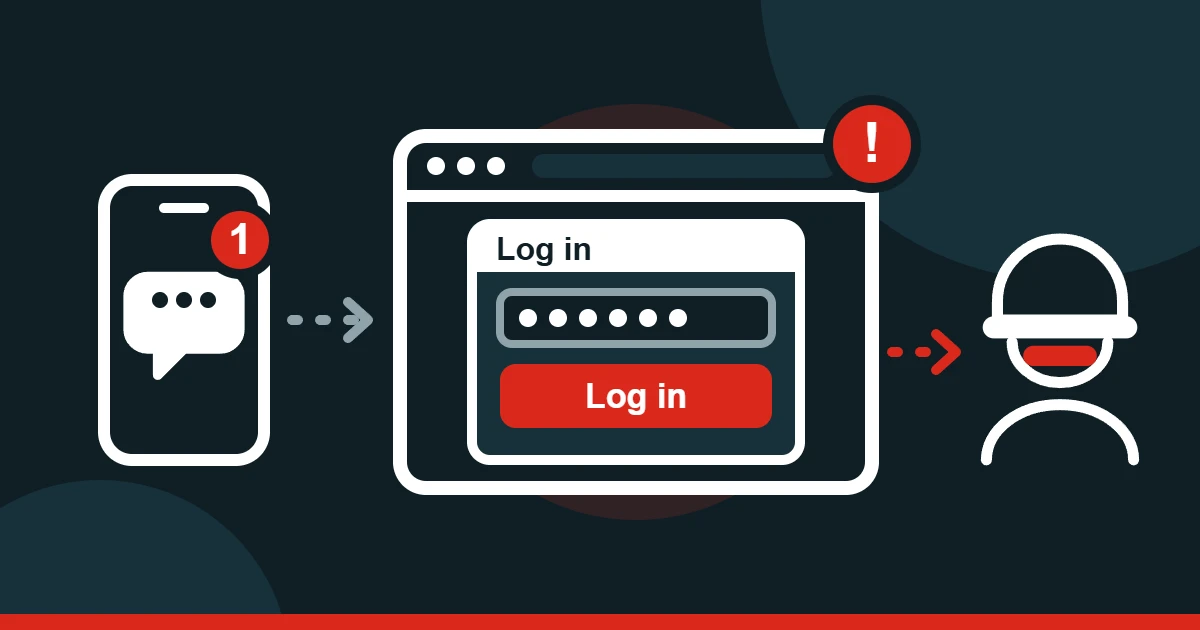
A little Messenger bubble with a red dot, just like the one that tells you have unread messages. You tap the bubble, Facebook asks you to log in again… and that is the moment you hand your account to a fraudster. One of our clients fell for exactly this. Here is how the scam works, why it is so convincing and how to protect yourself.
What happened to our client
The illusion, taken apart
Here is what the trap looks like, recreated with fictitious names.
In the feed: an ad that imitates a notification
Your session has expired. Log in again to read your messages.
4Session expired?
After the tap: a fake window drawn inside the page
- 1“Sponsored”. It is the only visible clue: this is an ad, not a conversation. A real Messenger notification never appears inside a post.
- 2The bubble and the red badge are part of the image. They copy the look of Messenger “chat heads” to trigger a reflex: reading unread messages.
- 3The address bar is fake too. The window, its padlock and its “facebook.com” address are drawn inside the fraudster’s page. This is the browser-in-the-browser technique: a picture of a window, not a real window.
- 4The expired-session excuse. You were logged in to Facebook a second earlier. Facebook does not ask you to log in again to read a message.
Why it works so well
You are inside Facebook
On a phone, links open in the app’s built-in browser. The real address is tiny or hidden, and everything still looks like Facebook.
The ad is approved
The fraudster buys ads like any advertiser. Meta’s review lets some ads through, especially when the trap page changes after approval.
A reflex, not a decision
A red badge is made to be tapped. Nobody thinks twice before reading a message: that is exactly what the fraudster exploits.
The verification code is not enough
The fake page also asks for the code received by text or by app, and the fraudster uses it right away on the real site. “Classic” two-factor authentication is bypassed.
How to spot the trap
- Your real messages are in the Messenger icon at the top of the screen, or in the Messenger app. Never in a post in your feed.
- Be wary of the word “Sponsored” on anything that looks like an alert, a notification or a warning from Meta.
- Facebook does not ask you to log in again from an ad or a message. If in doubt, close the page and open Facebook yourself.
- On a computer, try dragging the login window outside the tab. A fake window drawn inside the page stays trapped in the tab.
- Your password manager offers nothing? That is a red flag: it only fills in fields on the real Facebook site.
How to protect your account
A passkey
Since 2025, the Facebook app (iPhone and Android) supports passkeys. As with Microsoft, a passkey only works on the real site: there is nothing to type, so nothing to steal. See our article on passkeys.
An authenticator app
Rather than codes by text message. And keep the recovery codes provided by Facebook in a safe place.
Login alerts
In Accounts Center: alerts for any login from a new device, and a regular review of logged-in devices.
A protected business page
At least two administrators in Meta Business Suite, each with their own two-factor authentication, and an ad payment method with a spending limit.
For businesses: an employee’s personal account is often the way into the company’s Facebook page and ad account. One hacked account, and the fraudster can post on the company’s behalf or run ads with its credit card.
Entered your password on a fake page?
- Change your Facebook password right away, if it still works, and on any other account where you use it.
- Log out other sessions: Accounts Center, Password and security, Where you’re logged in.
- Locked out? Go to facebook.com/hacked. If Facebook sent you an email saying your email address was changed, use the “secure your account” link in that email.
- Warn your friends another way: the fraudster will write to them pretending to be you.
- Watch your credit card if it is saved in Facebook, and report any ad you did not buy.
- Report the trap ad (the three dots, Report ad) and the fraud to the Canadian Anti-Fraud Centre.
Is your business Facebook page well protected? We can check it with you.
Appelez le tech · 1 833 444-1041Sources
- GNT – Facebook and the browser-in-the-browser technique (Trellix researchers, January 2026) (in French)
- Hackread – Facebook ads used in spreading Facebook Messenger phishing scam (Group-IB)
- PCWorld – Facebook and Messenger finally add passkey support (June 2025)
- Bitdefender – Facebook ad scam with fake messages
- Meta – Recover a hacked account
9 documents ready to adapt: IT policy, disaster recovery plan, incident response, Law 25 register and cyber insurance readiness.